



CalenGoo - A flexible and powerful calendar app with lots of features for syncing with Google Calendar and the iOS/iCloud calendars
EVENTS
- Natural Language Input
- Improved time picker
- Up to five reminders
- Three reminder types (SMS, email, pop-up)
- Link contacts to events
- Attach files (with Google Drive)
- Create new events from one template or combine multiple templates into a single event.
- Icons for events
- Recurring events
- Floating events
- Completable events
- Birthdays of your contacts
- Tasks in events
TASKS
- Tasks are displayed on their due date in the calendar views
- Multiple, collapsible task lists
- Recurring tasks
- Sub-tasks as in Google Tasks
VIEWS
- Day view (can be horizontally seamlessly scrolled)
- Week view (different options, either in two columns or in one column, starting on the first day of the week or on the current day)
- Month view (horizontally or vertically scrollable, zoomable),
- Agenda view (with optional wrapping events over multiple lines)
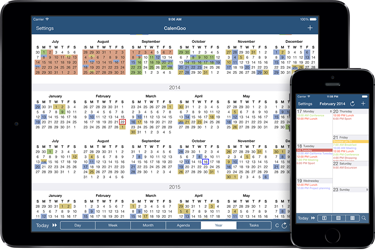
- Year view (has to be turned on in the settings, can mark days with events)
- Landscape day view (displays an overview of a whole week)
- Tasks view (displays your Google Tasks task lists)
- Search view
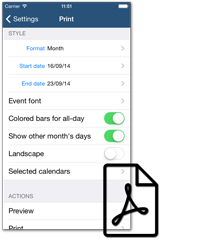
- PDF print function
- Drag&Drop can be used to move, copy and delete events and tasks.
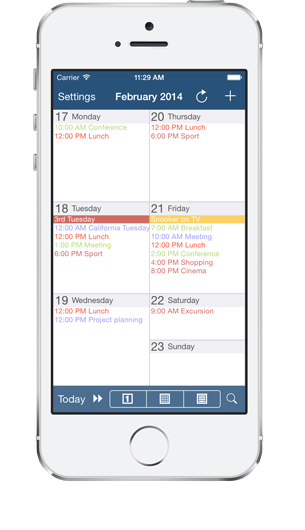
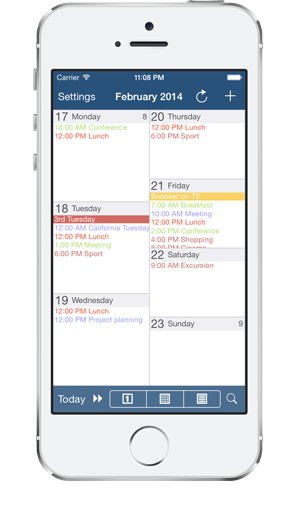
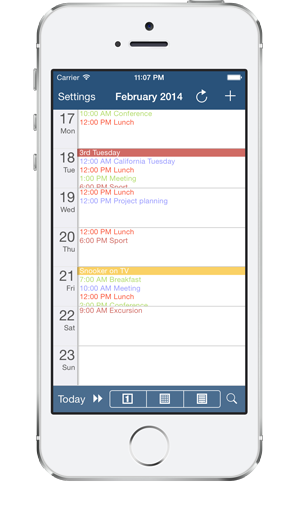
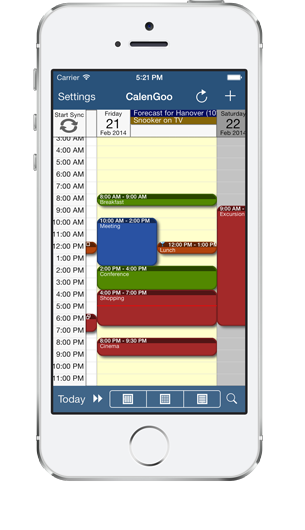
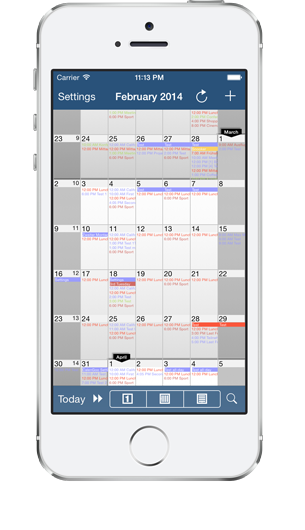
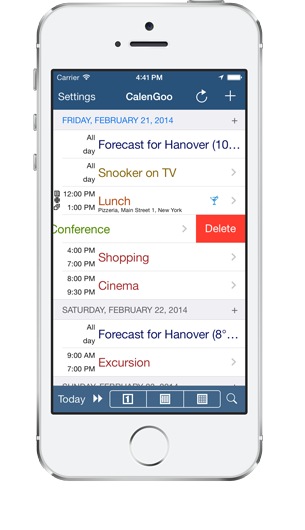
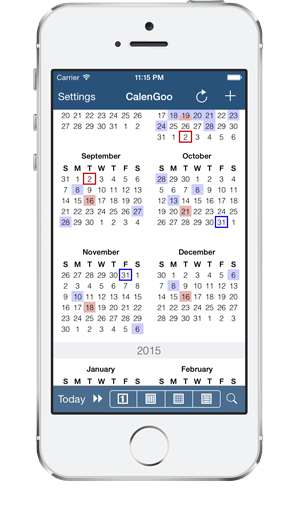

Views
Several different kinds of views help you to view your events . They are highly configurable so that you can fit them to your needs.
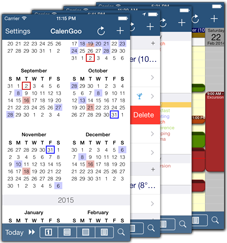
Events
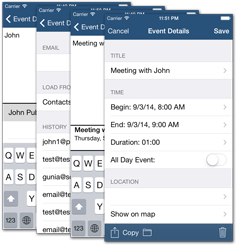
A flexible edit view allows you to easily enter your events. It also supports "Natural language input" (e.g. "Meeting with John tomorrow at 5pm"). To make it easier to create similar events you can choose from previously entered titles, locations and attendees or you can use templates to create events.
Details
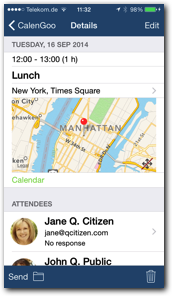
The detail view gives you a quick overview of a single event including the location and the responses of all attendees.
Tasks
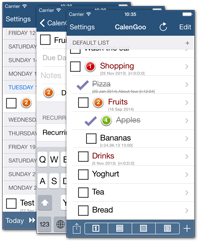
CalenGoo can sync with Google Tasks and display your tasks on their due dates in its calendar views and all tasks in its tasks view.
Printing
Using the print function you can print your events in different formats on an AirPrint printer or send it as PDF file by email.
Configuration
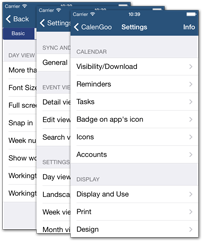
CalenGoo is very flexible, nearly all parts of the app can be configured to change the way your events and tasks are displayed.
Weather
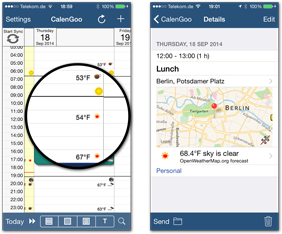
CalenGoo can display the weather forecast for your events based on their location and time. And it can display the forecast of your current location, the sunrise and the sundown in the day view.
Contacts
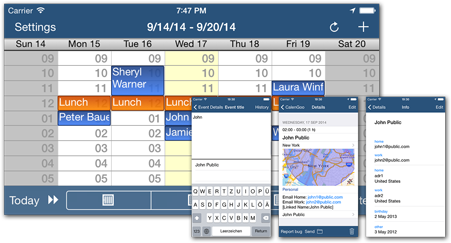
You can invite your contacts as attendees to events or you can link events to contacts so that you can open the linked contact directly from the event's details screen. This can be useful to link a customer's contact to an appointment with that customer.
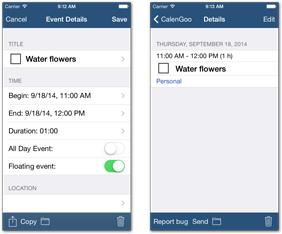
Floating events
You can mark single events and recurring events as "Floating". That means if you don't complete the task in time, the event will start to follow you. I.e. you cannot loose sight of such an event, because it won't stay on a past day, it will stay on the current day until it has been completed.
Attachments
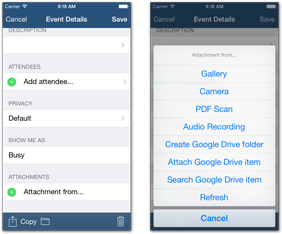
You can attach files (images, PDF files from images and audio recordings) to events that are automatically uploaded to Google Drive.
Tasks in events
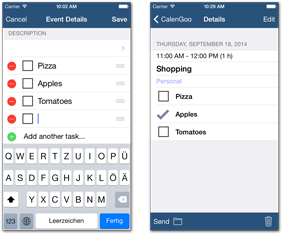
You can save task lists inside events. This can be useful for e.g. a shopping list or in a recurring event to take your pills.
Search function
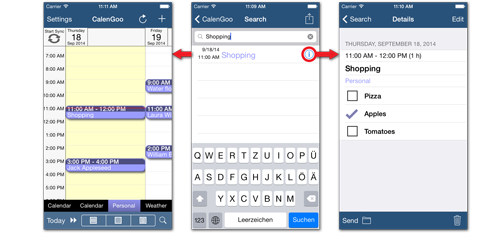
A fast search view lets you quickly find events in your calendar. You can either open the event details or open the day that contains the event.
Today Widget
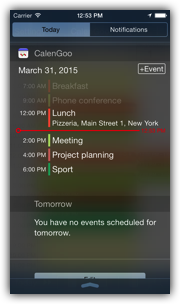
Using CalenGoo's Today Widget you can see your upcoming events by just swiping down on your screen. You don't need to start the app.
Evernote
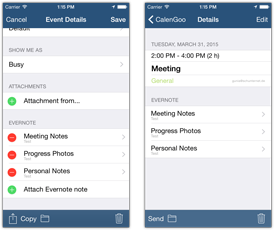
CalenGoo can display your Evernote reminders in its calendar views and you can attach individual Evernote notes to your events. This way you can save additional information and photos in Evernote and open them directly from your events. Just tap the attached note to open it with the Evernote app.
iPhone + iPad
CalenGoo runs on iPhone, iPod touch and iPad devices. So with a single purchase you can run it on all your iOS devices.
...and many more functions and options. In the menu at the top of this website you can find further information.